A redesign concept of DocsAlot's homepage. The live site talked about AI-readable docs; the redesign shows them, flipping the whole page between what people read and what AI agents read.
- Role
- Concept, design and build
- Type
- Homepage redesign concept
- Year
- 2026
- Built with
- Next.js
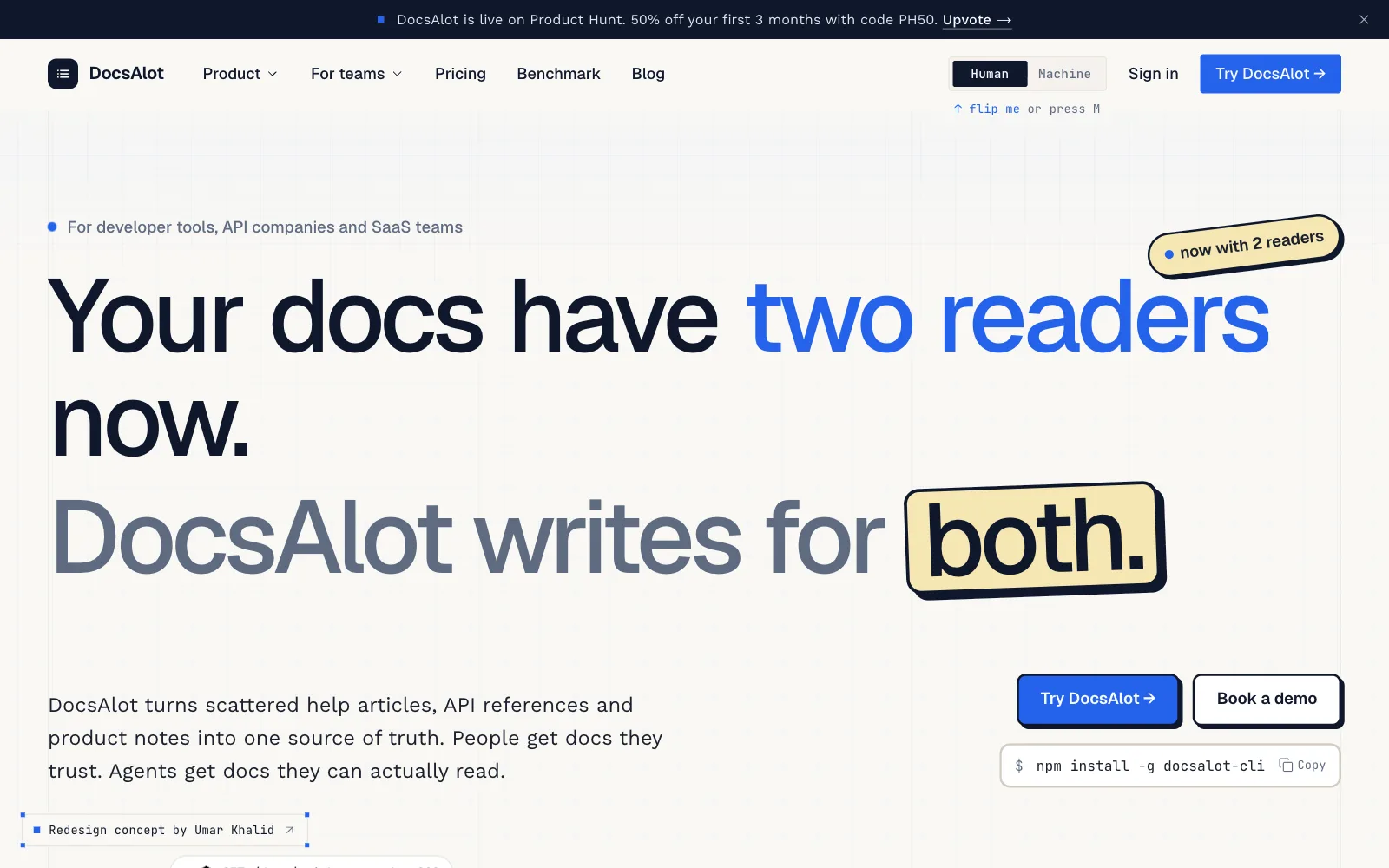
A product about showing, on a page that only told.
DocsAlot turns scattered help articles, API references, and product notes into one source of truth: hosted docs for people, plus llms.txt, skill.md, clean markdown, and a hosted MCP server for AI agents.
The live homepage, fresh off its Product Hunt launch, described all of that without showing any of it. A launch block pushed the headline down, many small cards carried the same weight, up to five buttons competed in every section, and body text was 13px. I redesigned the homepage as a working concept, keeping DocsAlot's blue, fonts, and logo, and rebuilt the story so the product proves itself on the page.
Land the main idea in the first 3 seconds.
Show "agent-readable", don't claim it.
One clear path: Try DocsAlot.
A site that talks. A site that shows.
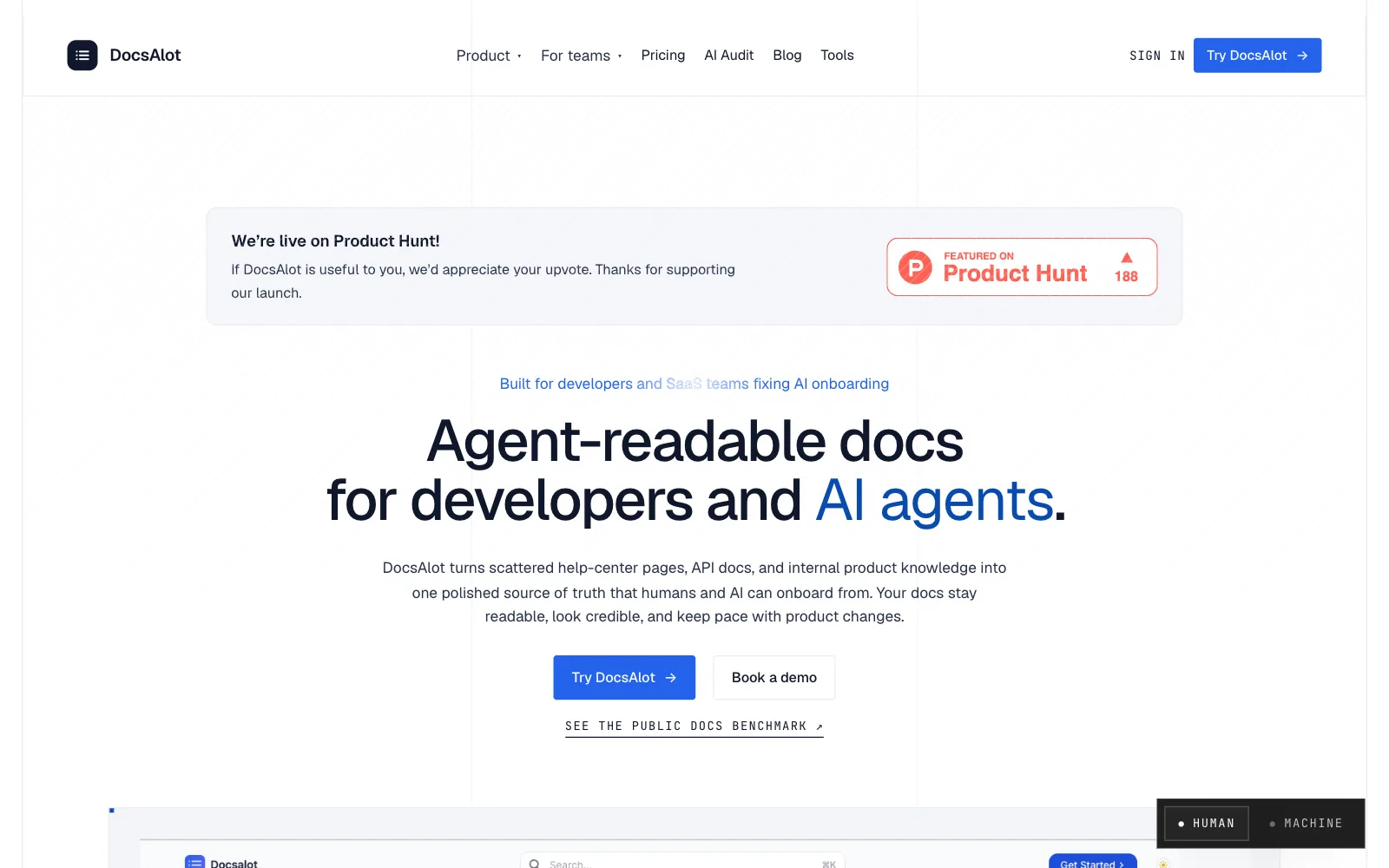
Drag to compare the live homepage with the redesign. Same product, same blue, a different first three seconds.
- 01
The idea, first
A slim launch bar replaces the Product Hunt block, so the bold headline is the first thing anyone reads.
- 02
Proof, not claims
A Human / Machine switch turns the whole site into the markdown AI agents read.
- 03
One main action
At most two buttons per section, down from five, with "Try DocsAlot" always the main one.
Eleven changes, before and after.
The five biggest changes, one at a time, then six smaller ones at a glance.
First impression
A slim launch bar and a bold headline, "Your docs have two readers now." A live split view shows the same page for people and for AI. The main idea lands in the first 3 seconds.
BeforeA Product Hunt block sat on top and pushed a generic headline ("Agent-readable docs…") down, above a static screenshot.
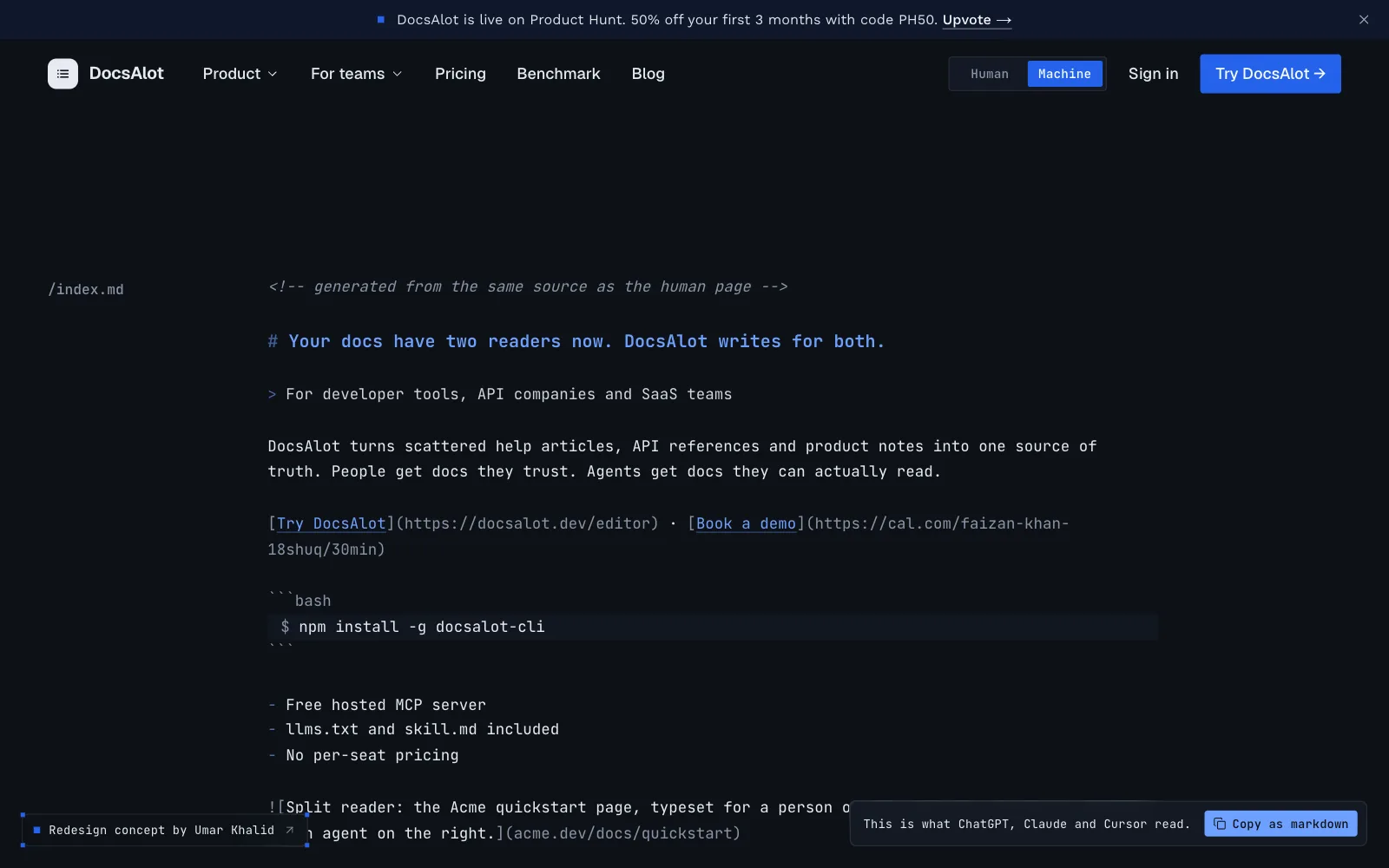
Agent-readable, shown
A Human / Machine switch in the header turns the whole site into the markdown AI agents read. It proves the product instead of describing it.
BeforeMostly claimed in the copy, with a small view toggle tucked into a corner.
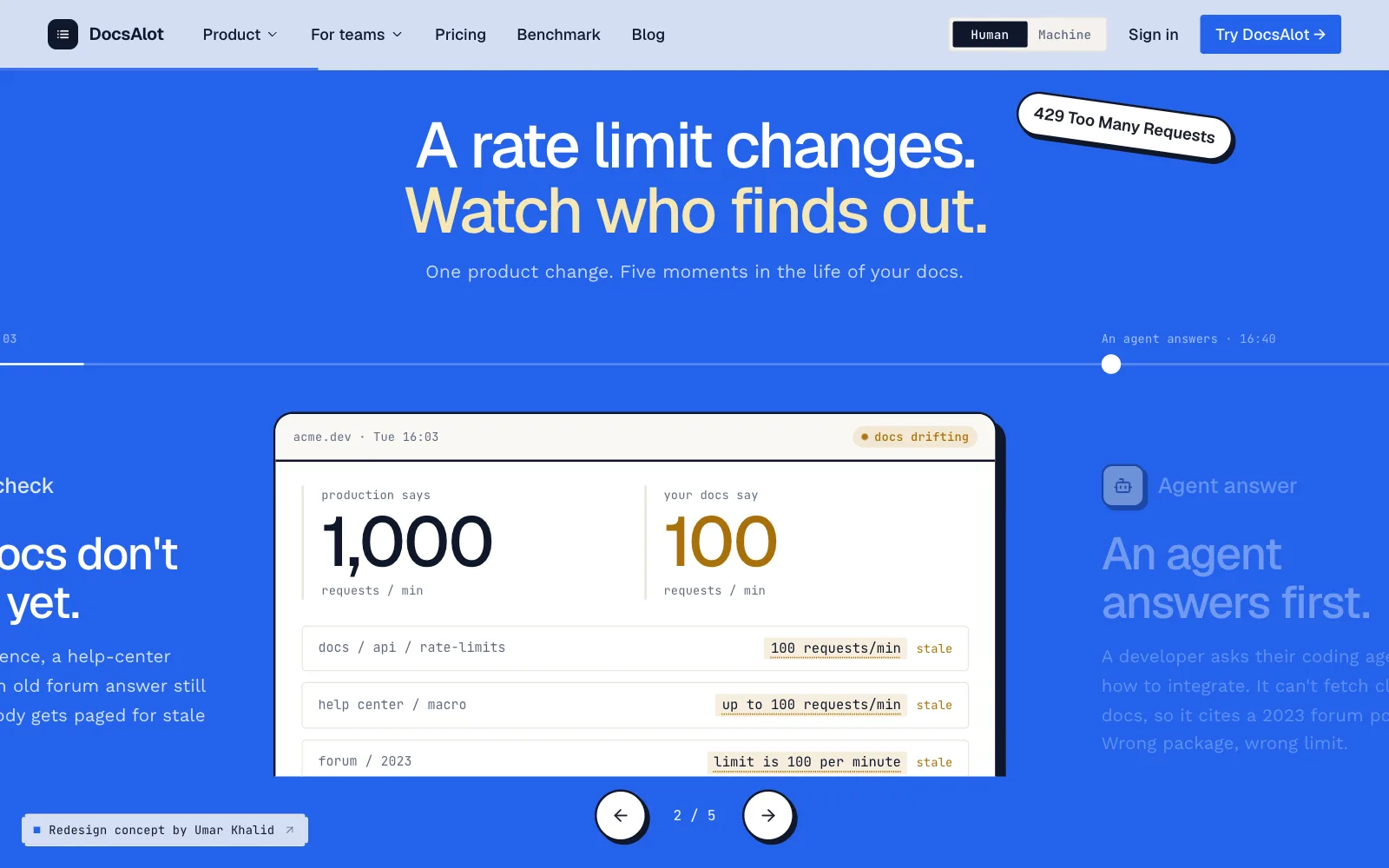
The problem, as a story
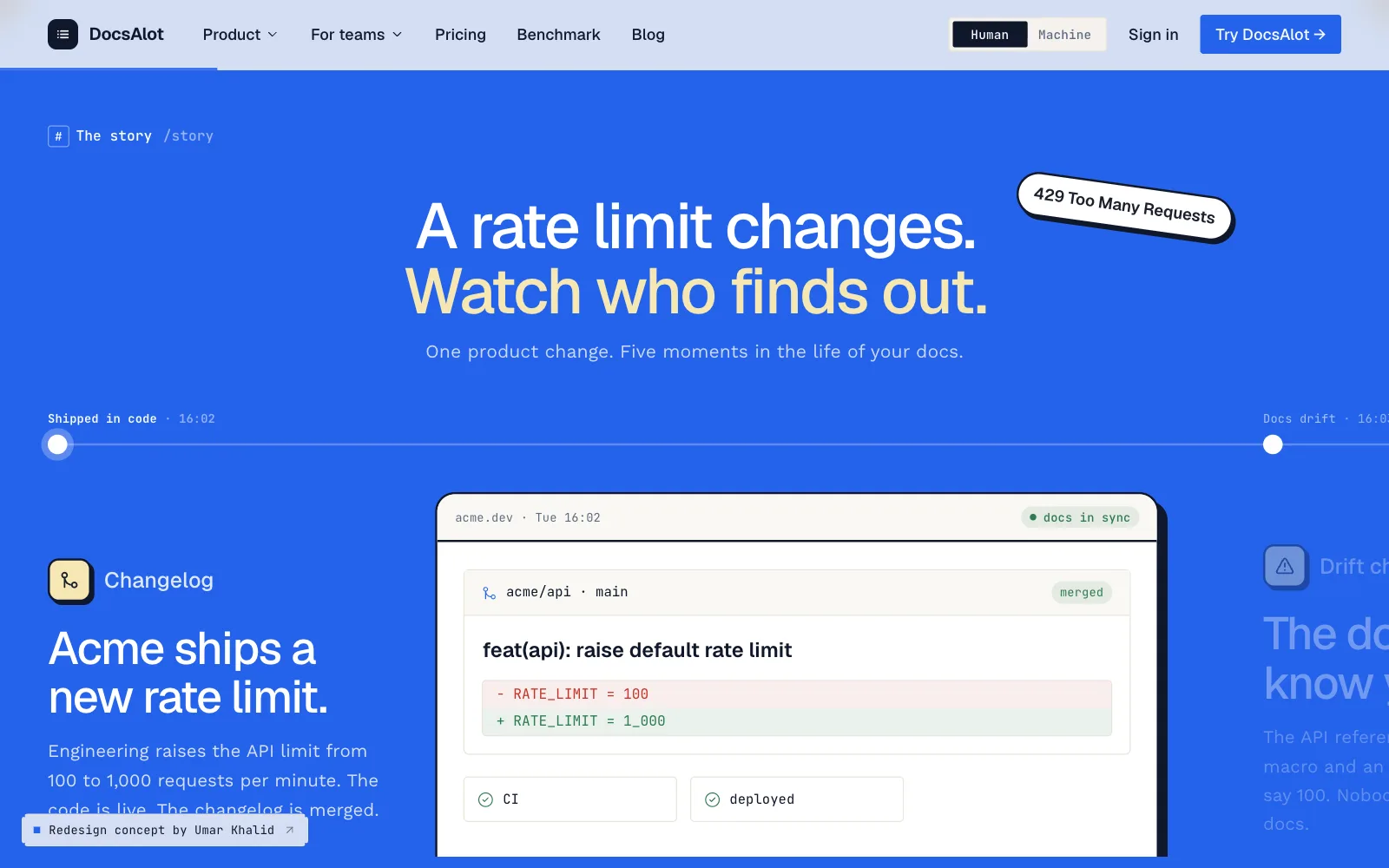
A scroll story: a rate limit changes, the docs go stale, an AI gives a wrong answer, and one request fixes it everywhere. Visitors watch the pain and the fix happen.
BeforeDescribed in text: "stale help-center pages…"
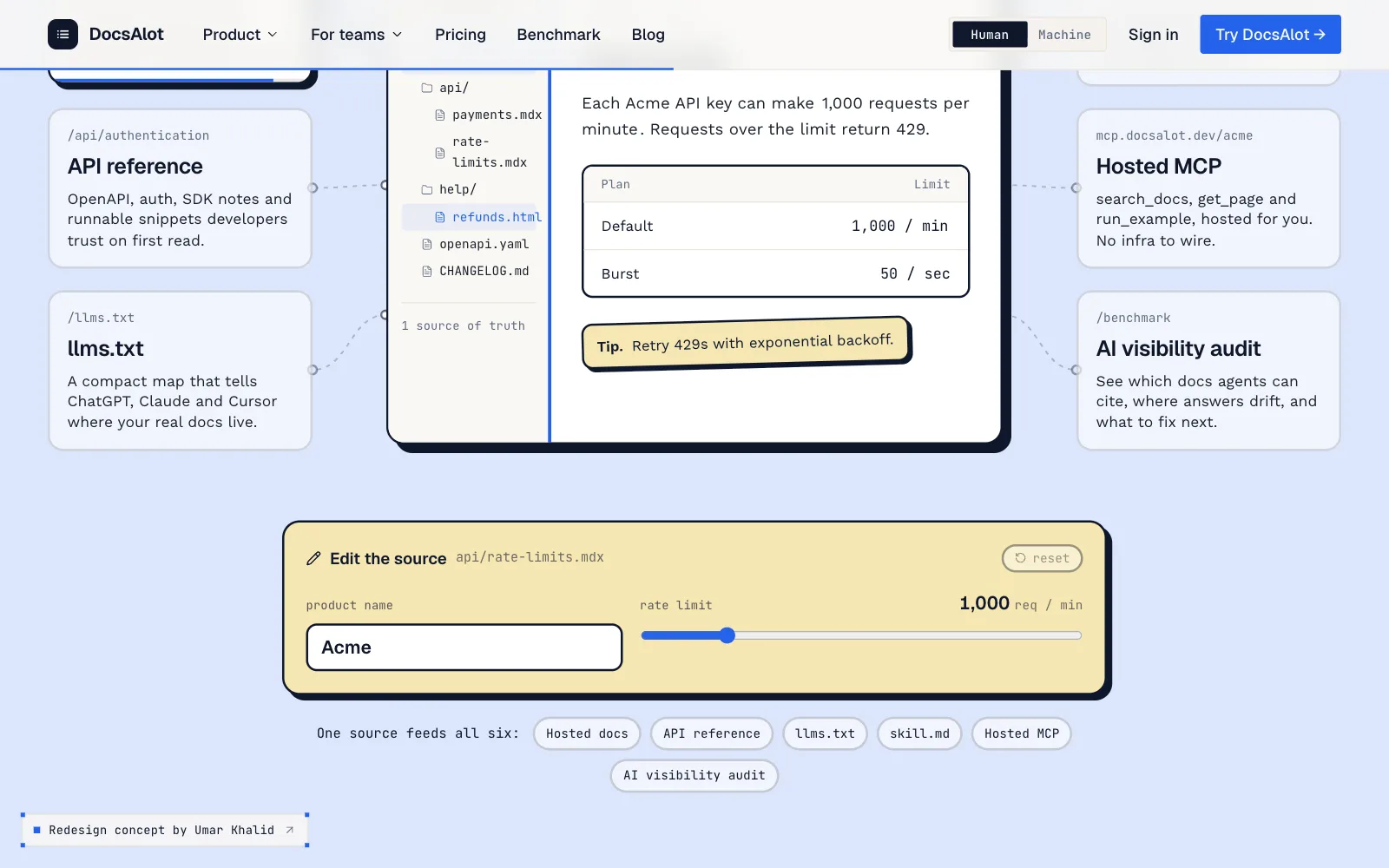
One source, every surface
An interactive wiring diagram. Visitors edit the product name and rate limit and watch all six outputs rebuild, so "one source, every surface" becomes hands-on.
BeforeSix static cards.
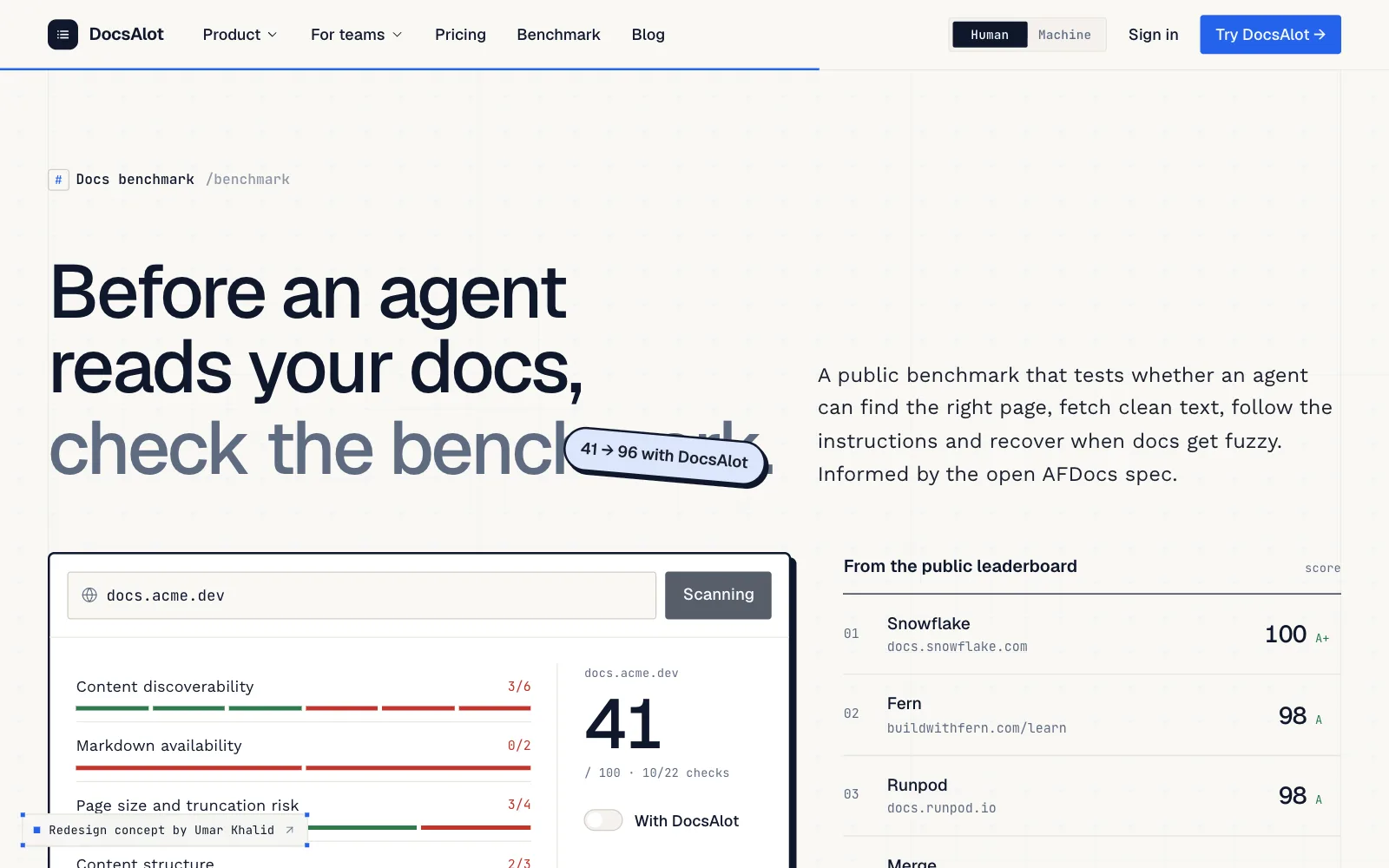
The benchmark, in numbers
A live scan scores a demo site 41, then 96 "with DocsAlot", next to real leaderboard rows. The value shows up as a number.
BeforeA link to the leaderboard.
- 06
One clear flow
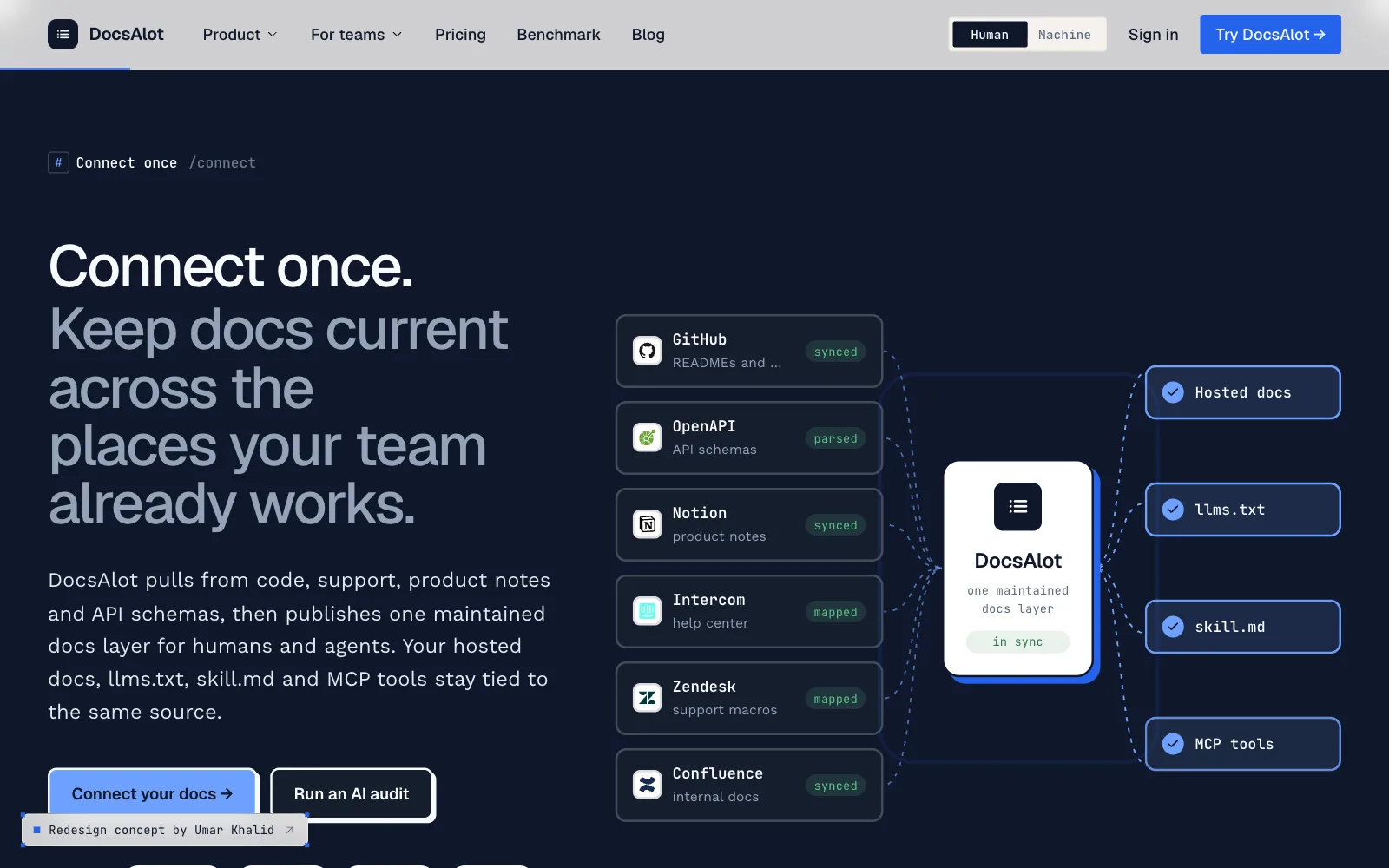
One flow, with animated diagrams: connect your sources, package them for agents, publish everywhere. One story is easier to follow than ten cards.
BeforeMany small, abstract cards with similar weight, so nothing stood out.
- 07
Logos you recognize
Real logos, from GitHub, Notion, and Zendesk to ChatGPT, Claude, and Cursor, with Product Hunt badges under the hero and in the footer. Faster recognition, stronger credibility.
BeforeIntegrations as plain text names, with Product Hunt badges tucked into the footer.
- 08
One main action
At most two per section, with one main action, "Try DocsAlot". A clear path and less decision fatigue.
BeforeFive competing buttons per section: try, demo, audit, leaderboard, score.
- 09
Readable by default
16 to 19px body text under large, confident headings. Easier to read, and it looks more premium.
Before13px body text, in low contrast.
- 10
A section with its own color
Bold color bands (ink, cobalt, sky, butter), outlined cards, stickers, and motion, keeping DocsAlot's blue, fonts, and logo. Each section has its own identity, and the site feels like a funded product.
BeforeFlat off-white and thin lines, so every section looked the same.
- 11
A close worth remembering
Organized links, the "for agents" files (llms.txt and index.md), Product Hunt badges, and a giant wordmark. A strong, memorable close.
BeforeA dense list of links.
In one line
Before, a site that talks about AI-readable docs. After, a site that shows it, flipping between the human and agent views of the same page.
More of the new homepage.
The rest of the redesign, in page order. Hover to pause.
- Connect: Real logos for the tools teams already use.
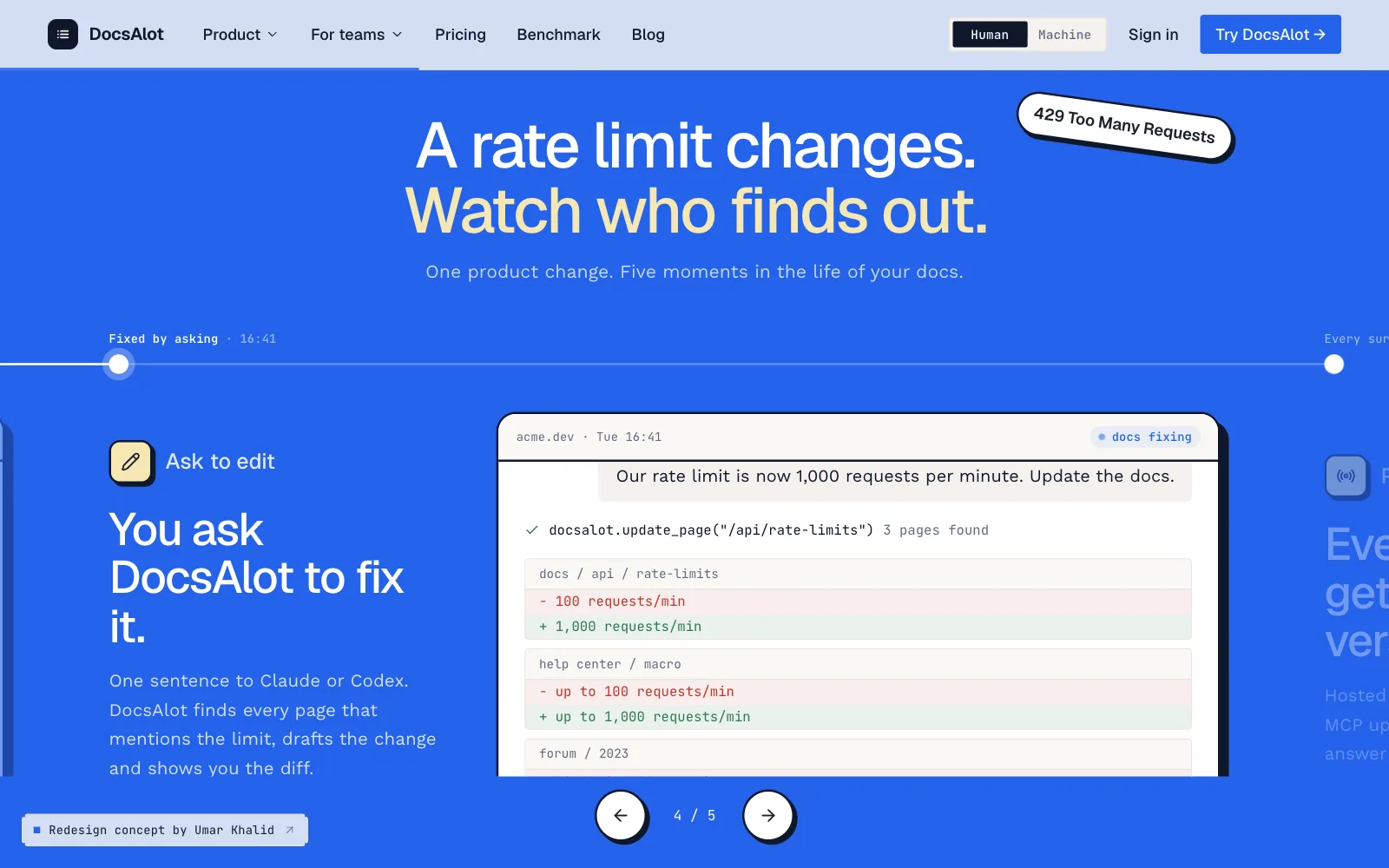
- The story opens: Acme ships a new rate limit, and the docs fall behind.
- The fix: One sentence to an agent updates every page that mentions it.
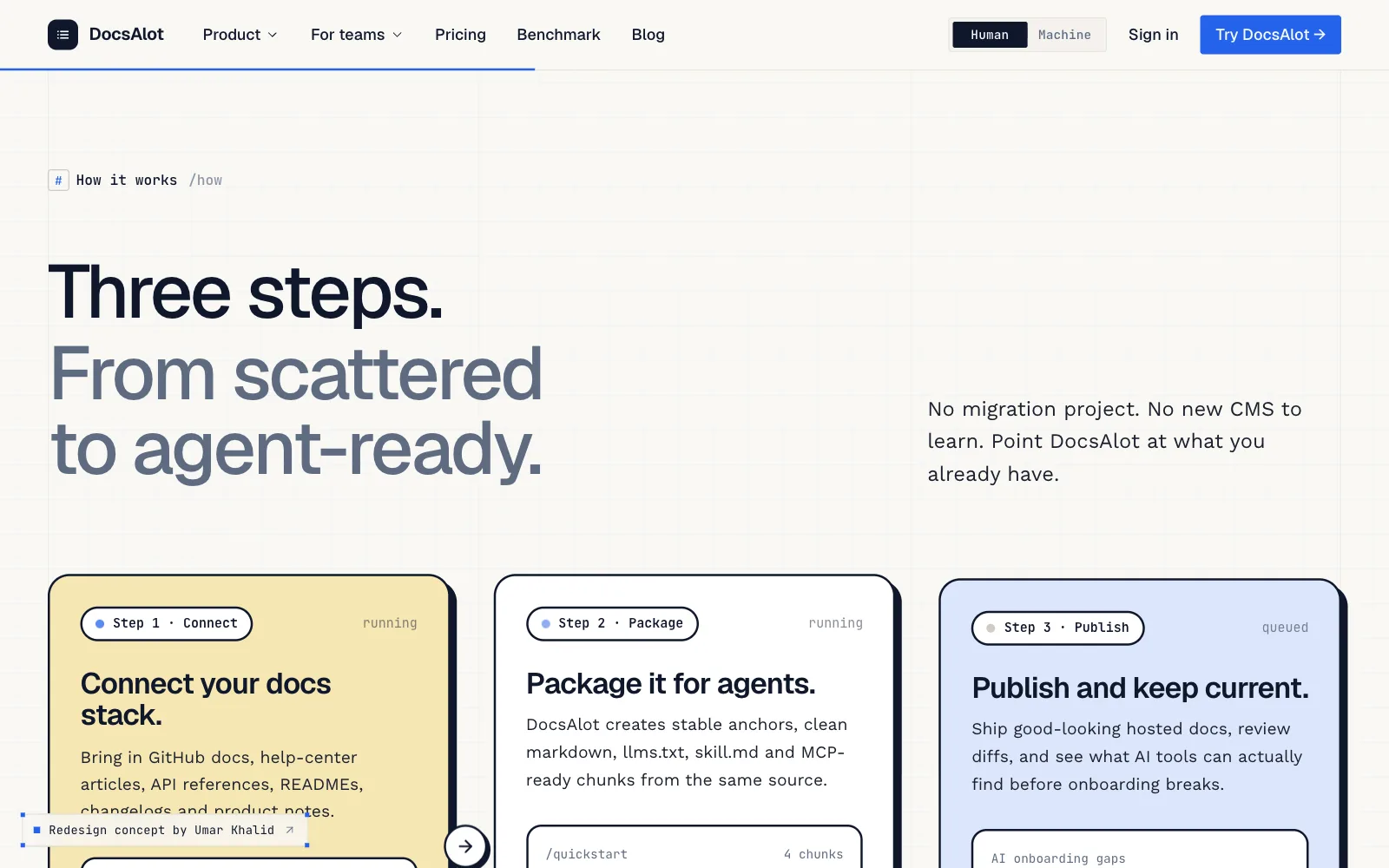
- How it works: Connect, package, publish: one flow instead of ten cards.
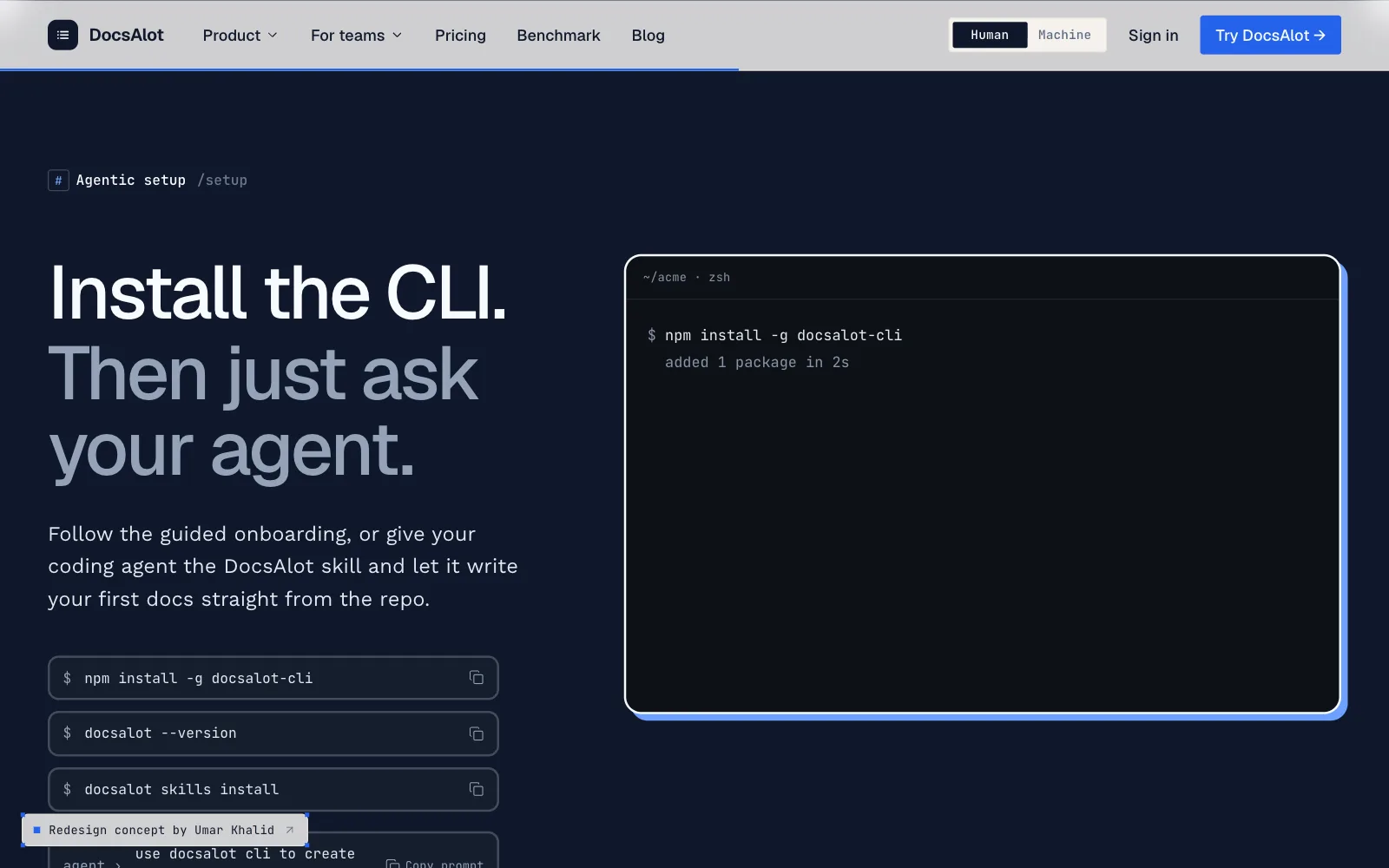
- Setup: Install the CLI, then just ask your agent.
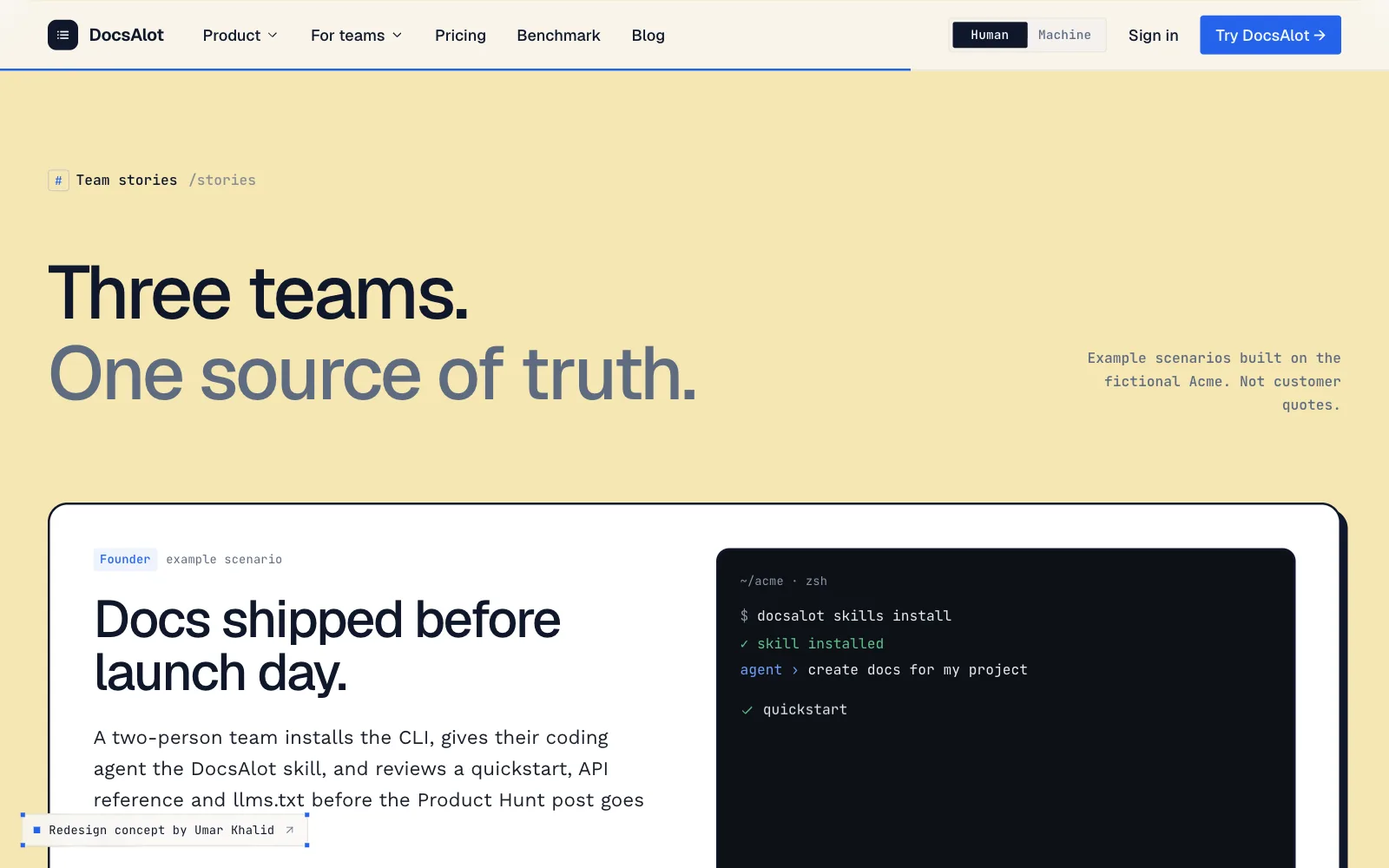
- Team stories: A butter band, outlined cards, and large type.
- Pricing: Three plans, with the launch offer as a sticker.
- Questions: The FAQ technical buyers ask first, in readable type.
- Footer: Agent files, Product Hunt badges, and a giant wordmark.
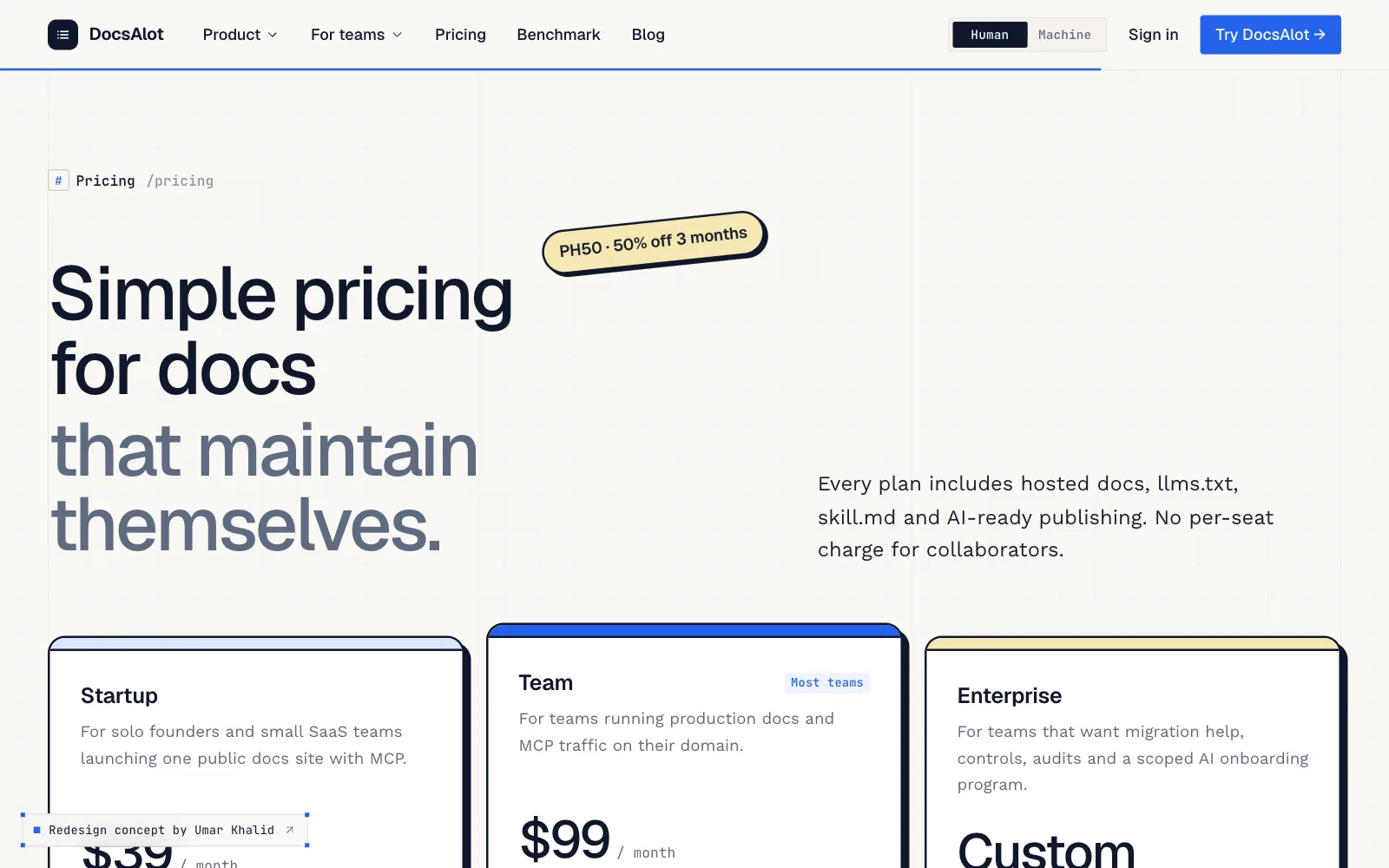
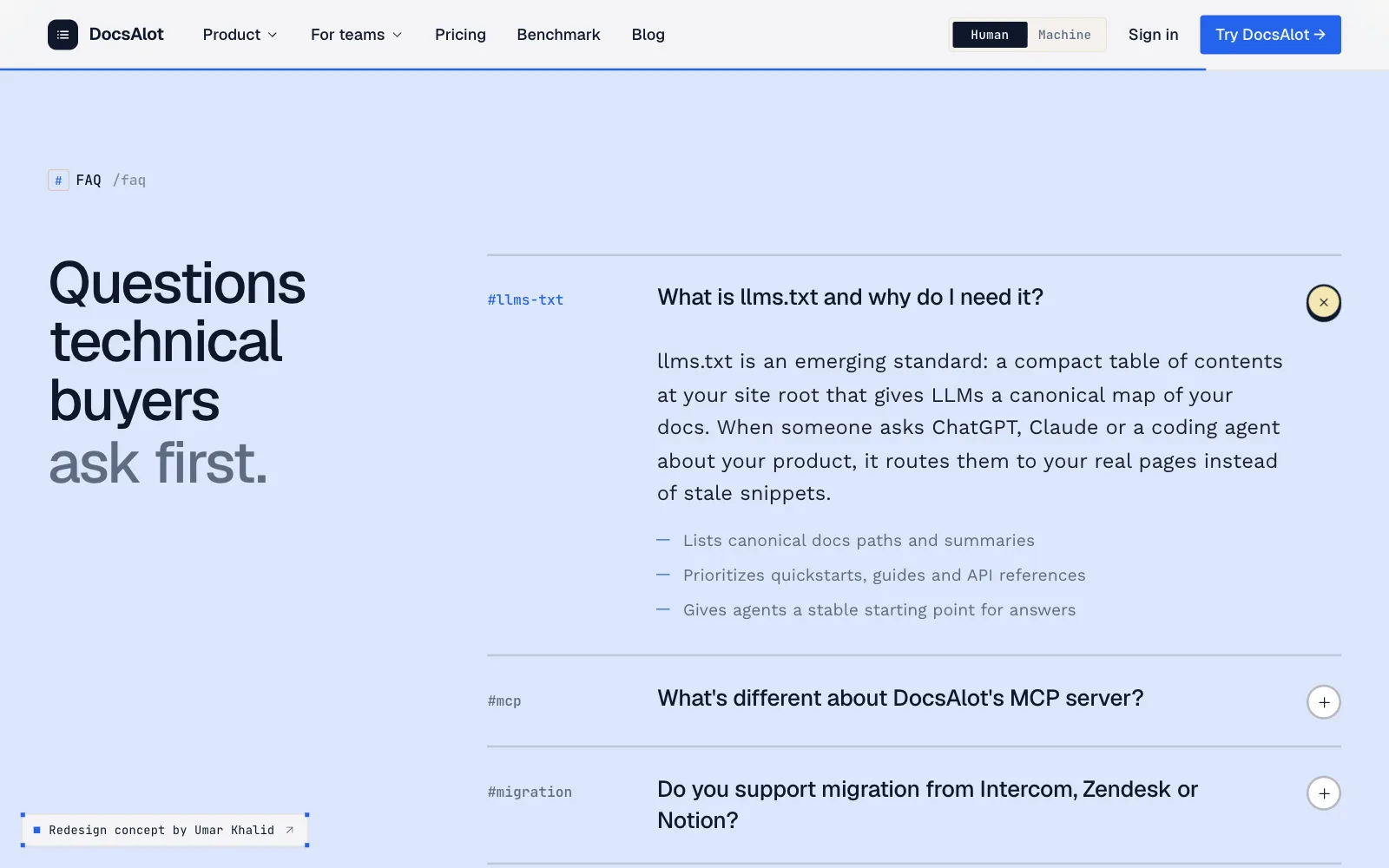
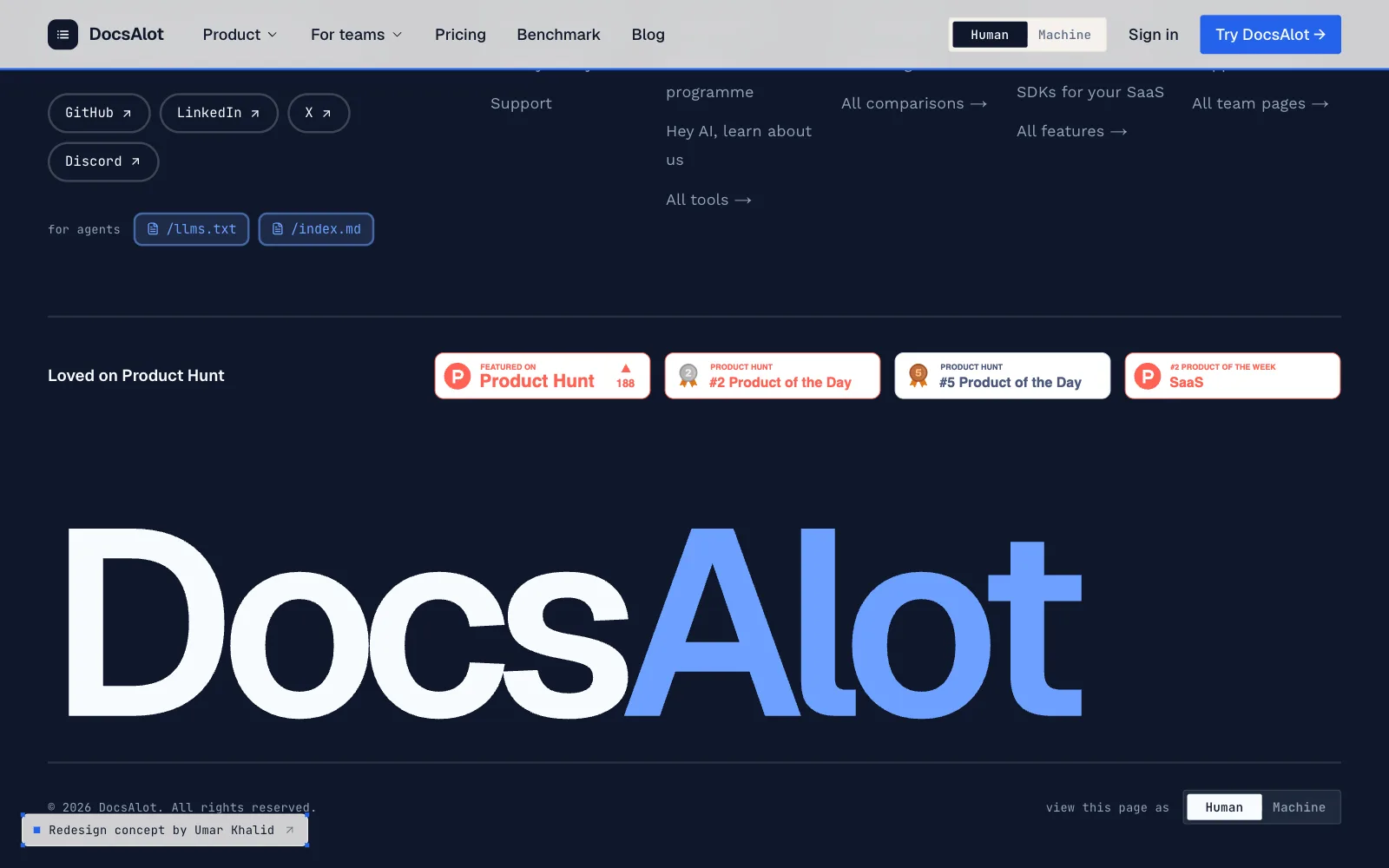
DocsAlot's blue, with more to say
I kept DocsAlot's blue and logo and built around them: four color bands give each section its own identity, outlined cards and stickers add character, larger type makes it easy to read, and a separate dark palette powers the machine view.
Color
- Ink#0f172a
- Cobalt#2563eb
- Sky#dce6fb
- Butter#f5e6b3
- Canvas#f9f8f5
- Slate#5e6b80
- Pass#2f7a4d
- Fail#c2352b
- Amber#a8710a
- Machine canvas#0d1117
- Machine blue#6ea1ff
Type · Geist Sans, Work Sans and JetBrains Mono
- Your docs have two readers now.Display
95px - Connect once.Heading 2
54px - Package for agents.Heading 3
27px - People get docs they trust.Body
16 to 19px - npm install -g docsalot-cliMono
12.5px
Motion
- Snap · Quick UI responses
- Scan · Scans and sweeps
- Standard · Everyday transitions
Shown, not told.
- 11 changes
- Before and after, top to bottom
- 2 views
- Human and Machine, one page
- 2 buttons
- At most per section, down from five
- 19 px
- Body text, up from 13px
How I led it.
The bet
DocsAlot sells docs that AI agents can actually read. The bet was that the strongest homepage would prove that on the spot: let visitors flip the page into what an agent sees, watch stale docs cause a wrong answer, and watch one request fix it.
How I approached it
- Wrote the homepage as one story, from the problem to the fix, before designing any section.
- Turned every claim into something visitors can see or try: the machine view, the wiring diagram, and the benchmark scan.
- Kept DocsAlot's blue, fonts, and logo, so the redesign reads as DocsAlot, only louder.